Editor’s Note: For those that didn’t catch the reference, it’s a play on the ‘If You Give a Mouse a Cookie’ story. Essentially, if give a mouse a cookie, he’s going to want some milk to wash it down with… and straw to drink the milk… and and a napkin to wipe his face… and so on…
In the Beginning…
About 3.5 years ago, I replaced my aging GTX 1080 gaming desktops with a couple of 30-series systems. Between inflation, parts availability, and AI demands, the market wasn’t great, and it’s only gotten worse.
At the time, I’d planned to buy another iBUYPOWER system, but due to shipping delays, I had to cancel the order and spend over $500 per system more than I originally budgeted. I usually target the upper end of the previous generation of hardware, I feel I missed the mark this time around…
Not long (perhaps a week or two) after I pulled the trigger on our two PCs, and before they began the build, they’d upgraded the model I’d bought from 12th gen to 13th gen, but did not create a new item in their sales system, so I found about it because subsequent updates to my order read “13700K” and “13600K ” respectively rather than the 12th gen series I actually bought. I did reach out to them to see if I’d get a free upgrade, but that was too much to hope for…
By then, DDR4 (what these systems shipped with) was getting long in the tooth, and DDR5 had been around for at least two years. Beyond that, there were other issues with their packing, resulting in feet being shorn off, and while the system pictured in the ad featured strimmers, it turned out they wanted an extra $120 per system…
I used them once again to purchase a pre-built system to replace Jim’s aging laptop. They weren’t my first go-to (I started with Amazon, but had to abandon that route due to logistical issues), but to their credit, they went out of their way to accommodate shipping to Mexico. Unfortunately, Jim didn’t get much use out of it as he passed 3 weeks later… So far as I can tell, he was happy with the purchase, and the price was right ($~1,100, closer to $1,400 with shipping).
Even so, I wouldn’t make another purchase from them today, nor can I recommend them for reasons I’ll get into later…
Treat Yo’self [sic], as the Young People Say…
After a long and expensive home renovation, I decided to treat myself to a GPU upgrade (call it a late birthday present ^_^), so I started looking at 5080 series cards. I considered waiting for a 5080 Ti or Super to come out, but my research suggested they weren’t going to hit the shelves anytime soon, or at an attractive price point.
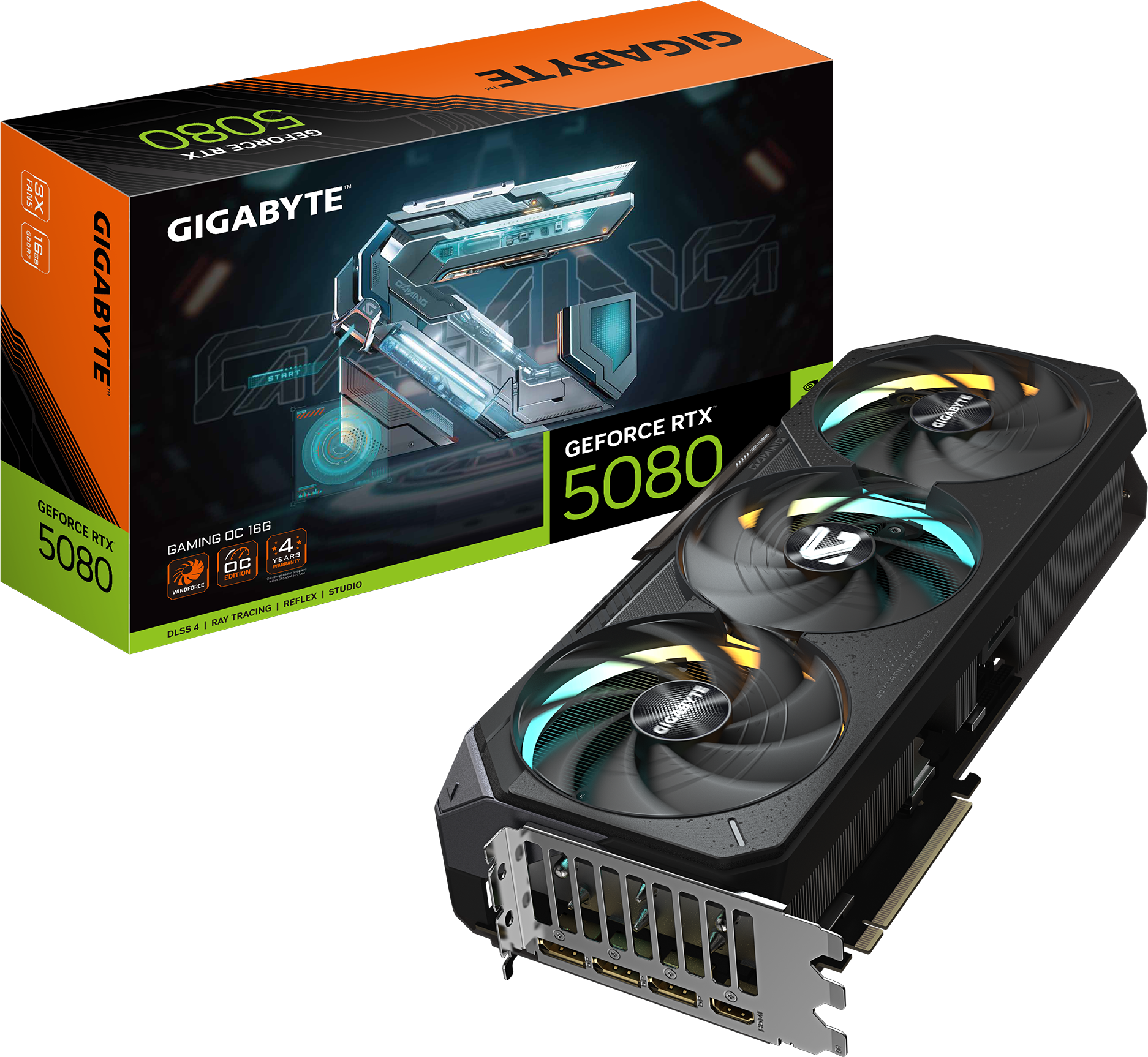
I settled on a GIGABYTE GeForce RTX 5080 Gaming OC 16G, which was a good combination of cost ($1,500 + tax), performance, cooling, and noise. I looked at some more expensive 5080s, but as far as I could tell, the performance was comparable (or even a little worse), and they were asking $200-500 more for slightly cooler/quieter fans.
I figured since I was splurging on a fancy new GPU, I may as well upgrade my RAM as well, but after going down the voltage/timing rabbit hole, I realize things aren’t like they used to be, and I can’t just slap another two identical sticks in the spare sockets and call it a day without risking a hit to performance and/or stability, but not before pulling the trigger on the purchase (another $300), which I’m just went ahead and returned unopened.
What I also failed to realize is that my 850W PSU would be the bare minimum for an RTX 5080 and would need a 12V-2×6 (16-pin) connector instead of the triple 8-pin connectors I’m using now for the RTX 3080… Yes, I could just use the adapter that comes with the GPU, but if I was already spending $1,500 on a GPU, what’s another $180 for some peace of mind… I ended up purchasing another Corsair RM1000x ATX 3.1 (1000W), which should give the card plenty of headroom…
Decisions, Decisions!
At this point, I started thinking about what it would cost to just go ahead and upgrade the motherboard, RAM, and CPU as well. If I were to go that route, and that’s a BIG if, I’d be looking at…
- $200 for a new Z890 Motherboard
- $350 for an Intel Core Ultra 7 270K Processor
- $750+ for 64GB of DDR5 5600 CL28 RAM
In total, about $1,300 + Tax…
Of course, we haven’t even talked about my monitor yet!
I currently have an old Acer Predator XB241H, a 24″ 1080p 144Hz gaming monitor. I bought it in 2018, and it’s served me faithfully for years. Conventional wisdom suggests that lower resolution is better for higher frame rates, which is true, provided your CPU can keep up! My CPU cannot, and so I end up with a huge swing between high and low FPS…
Upping the resolution means the GPU has to work harder, balancing the equation of CPU, GPU, and Resolution. At first, I figured I may as well make the jump to 4K, but after talking it over with a friend, I was convinced to consider 1440p instead. I currently have three monitors on my PC in a TIE Fighter configuration:

While I’m gaming, I can have Discord on one side and a web browser on the other, and look things up as I need to while saving on horizontal space. The trouble is, I don’t have a lot of room on either side, since the triple-monitor stand I’ve had since 2014ish in Saudi Arabia was only intended for 21-24″ monitors, and most 1440p (and 4K) monitors are 27″ and larger.
I considered buying a 27″ 4K Gigabyte OLED monitor for $534 (heavily discounted open box special), but decided not to chance it, and after further consultation with my friend, I decided to go with an AOC Gaming Q27G4ZMN:
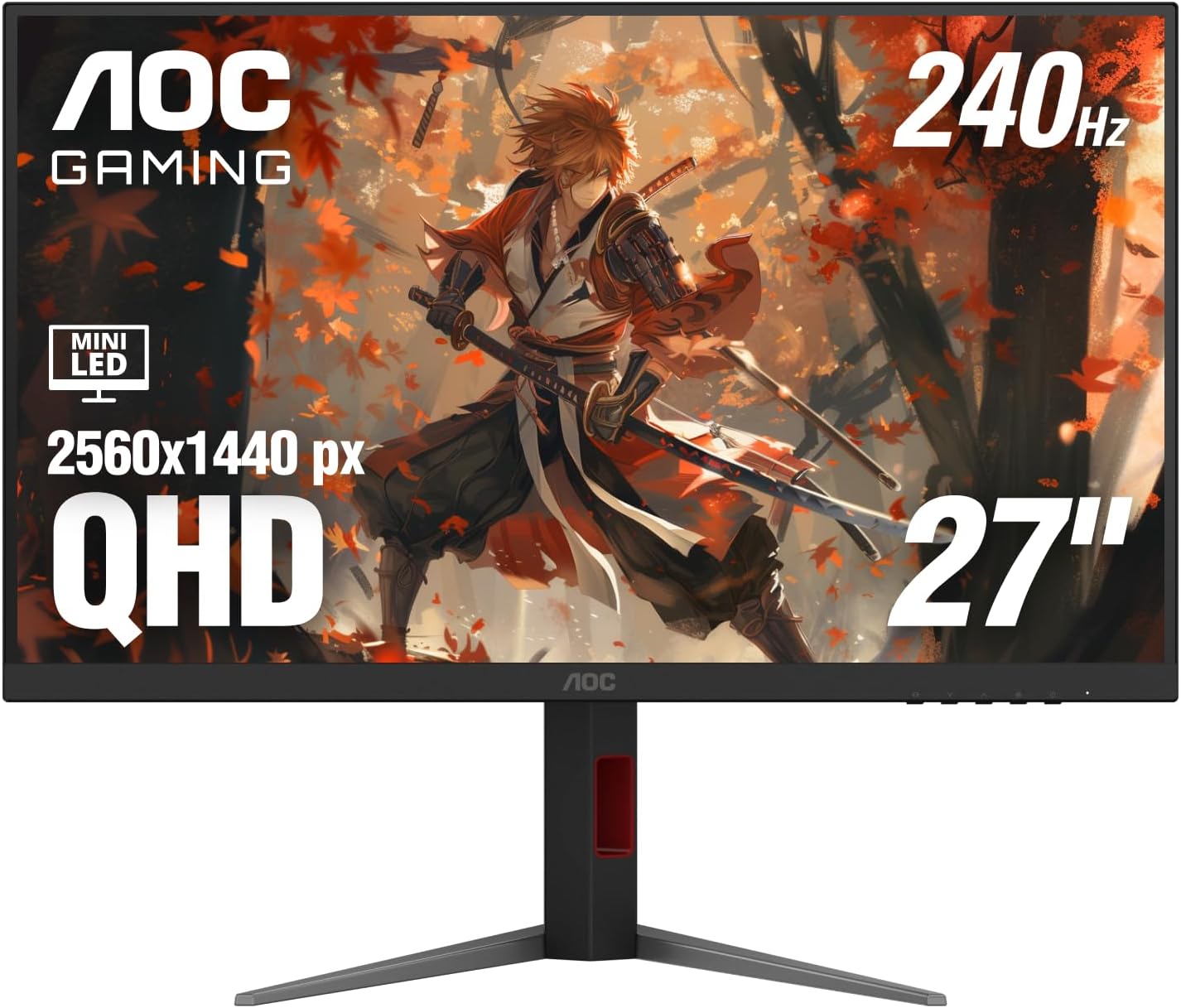
It was $300 for the 180Hz version, but I decided to pay an extra $30 and get the 240Hz model. This was a good balance of resolution for the size of the monitor, color range, contrast, refresh rate, and durability (OLEDs can, and do, burn in, and they’re about double the price). Of course, then I needed to spend another $65 on a bigger triple-monitor stand, but I’m sure I’ll find a use for the old one :).
Too Good to Pass Up!
The rest of the build was still nagging at me, and while I argued with myself back and forth, Newegg decided for me:
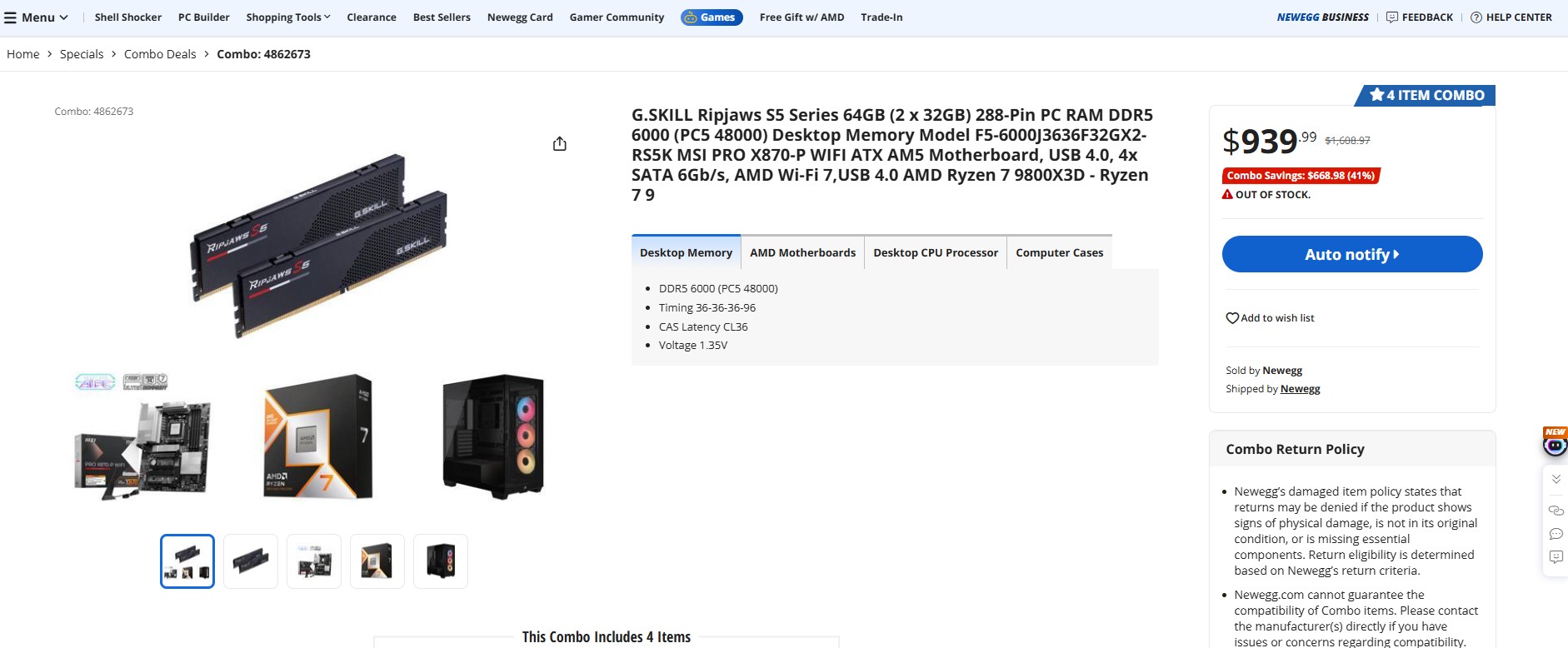
- G.SKILL Ripjaws S5 series 64GB DDR5-6000 CL36 RAM ($885)
- MSI PRO X870-P WIFI ATX AM5 Motherboard ($180 on sale, not the best-in-class, but not bad!)
- Ryzen 7 9800X3D CPU ($465)
- Corsair 3500X RS-R ARGB case ($80)
- MSI MAG Coreliquid A13 240 AIO CPU Radiator/Cooler ($85) – Free gift, not listed in the ad
That’s nearly $1,700 worth of kit for $940? Even Gollum couldn’t say ‘no’ to that!
4/17/2026 – NOTE: The astute among you will notice that the screenshot above shows that this combo is Out of Stock, which it is (at the time of writing), but it was available this morning when I placed my order :).
Aside: Intel versus AMD Processors
Throughout my 20s, I could not afford high-quality computer parts, so I built computers as cheaply as possible. That often meant the least expensive AMD Processors and Radeon graphics cards.
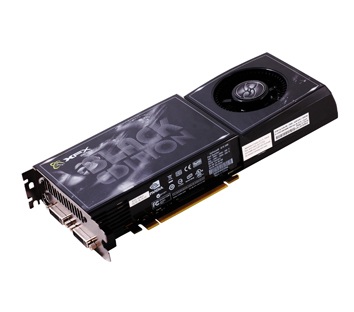
After graduating from college and a year or so into my first ‘big boy’ job, I’d spent some money and upgraded my desktop PC to a Core 2 Duo Q6600 with 6GB of DDR2 RAM and a modest 120GB SSD. I decided to spend $300 (a lot of money in 2008) on an XFX GeForce GTX 260 Black Edition video card. It ran at 75° C (which I was told was normal), and crashed more than I would like, even after two RMAs. This was my first taste of real GPU power! But it was a fickle beast, and even with my Antec 900 case with its ridiculous 200mm exhaust fan, two 120mm front fans, 120mm exhaust fan, and the option 120mm side fan, I STILL couldn’t keep the damn thing cool enough to keep it stable, and begrudgingly went back to a cheap, mid-range AMD GPU (a Radeon HD 5770) a couple of years later before ultimately sticking to Intel/Nvidia going forward.
“2Kliks” Philip Dyer did a great video a few years back that really articulated the history of Intel versus AMD far better than I have here, and it’s well worth the watch. In doing so, it seems to me my biases were justified, at least at the time! But times change, at least on the CPU front…
AMD’s Ryzen series has made a big comeback in the last few years, but nevertheless, I’ve stuck with Intel as my default. Even when my research seemed to suggest that, for gaming, the Ryzen 7 9800X3D was one of the best processors money could buy, I dismissed this, instead, seeking out my familiar Core i7 equivalent, which I’d pegged as the gold standard for Desktop and Mobile CPUs. Sure, there was eventually a Core i9 series, but that just meant more cores, and I wasn’t even using all of the ones I had now…
I tell myself that more cores = better, and that the Ryzen X3D series isn’t as good as Intel Core Ultra for multitasking and productivity. What if I wanted to host my own LLM GML coding buddy, or spin up a few VMs to test new games on?

“Look, Nattie. That’s called ‘Copium’!”
The plain truth is, if it weren’t for the ridiculous prices of DDR5 RAM, or if there were an equivalent combo deal for an Intel 270K Plus for the same price (despite the Intel processor retailing for $100 less than the AMD 9800X3D), I would have bought that instead…
Fool, though I might be, I know a deal when I see one! Given how quickly these sold out, I feel sure I will end up with a more performant system despite my long-standing biases working against me.
What Are My Plans for the Rest of the Kit?
The existing Corsair iCUE 100i Capellix Elite is still nicer than the MSI one I got with the bundle, however, because I don’t have the box/accessories it came with, I would need a $12 AMD CPU Adapter Bracket and Standoffs so I can reuse it for the 9800X3D. The same goes for the Corsair 3500x case, which is objectively inferior to my Corsair 4000D (more on that below).
Although it will be more work, I figured the best long-term solution would be to put my old Intel System in the new case, which I could keep around as a spare… maybe use it as a server!
What Was the Damage?
All in, this little jaunt has cost me:
- $1,500 for the RTX 5080 GPU
- $180 for the 1000W PSU
- $940 for the CPU, Motherboard, RAM, a spare case, and an AIO CPU cooler
- $400 for a new monitor and stand
Total: $3,020 ($2,620 without the monitor and stand)
I wanted to get a sense of what this would cost from the builder who put together my current systems, and they were asking $5,198, or about twice what I paid…
To be fair, adding up the parts in their spec sheet came to $4,367.39, or about a 20% mark-up. They did come through for me for Jim’s PC, so I have to give them credit there. In any case, I wouldn’t use them again for myself, and can’t recommend them as a builder given how expensive everything is on its own these days…
No, sir! I’m going back to my roots and building my own from now on…
Coda
Primary System
The parts arrived, and the new CPU, motherboard, and RAM were installed in my old case. I’d purchased an AM5 adapter so I could utilize my old AIO. I also transferred both NVMe drives, and the OS took it like a champ, though I did have to remove some software I no longer needed.
I also took the opportunity to give the old case a thorough cleaning, getting into spots I couldn’t easily reach without a complete disassembly, and cleaned up the cabling. My old Corsair AIO included a Fan/RGB controller, but for whatever reason, I elected not to run all of my case fans through it, splitting them between the controller and the motherboard. This means that controlling fan speeds was also split between the iCUE software (used by the AIO) and Armory Crate. There was plenty of room on the controller, so I can’t imagine why it was done this way, and I won’t guess. In any case (no pun intended), it’s corrected!
I had to enable EXPO in the BIOS to get the RAM to run at 6000 MT/s instead of 4800, and spent several hours tinkering with the new monitor’s HDR settings to keep the brightness from blowing my eyeballs out…
Secondary System
I hadn’t realized how much I missed the fiddling pleasure of assembling a PC until I upgraded my primary system! I couldn’t bear to see my old parts go to waste, especially when I had most of the parts I needed to build a second system, save for a couple of odds and ends…
So I started by mounting my old CPU, motherboard, and RAM in the new Corsair 3500X. This case isn’t something I would have chosen for myself, and it seems to prioritize form over function; it looks nice in photos and is great for showing off your components, at the cost of a few degrees-worth of direct airflow.
The MSI MAG Coreliquid A13 240mm AIO is… fine. It didn’t come with a controller like my old AIO
I have to admit it makes for a handsome presentation, and the removable front panel gave me plenty of room for wiring up the IOs, fans, and RGB. Power was another story…
I could have used my old PSU and my wife’s old EVGA RTX 3070 FTW3 8GB GPU for this build, but I gifted both to a friend to replace his MSI GeForce GTX 1060 Gaming 6GB GPU and Corsair RM650 650W PSU. He’d offered to give me his old parts, but I declined as they wouldn’t be very useful to me.
Instead, I bought another Corsair RM850 (identical to my old one). The cable management on the 3500X case was nonexistent, leaving me little room for CPU, GPU, and Motherboard power cabling. There was barely enough clearance to slide the PSU into its cubby, but I got there in the end.
###
That still left the GPU question… As a secondary PC, I didn’t want to spend an obscene amount of money on what would essentially be a spare system. So what were my options in the $300-400 range?
- Nvidia GeForce RTX 5060 8GB (~$330-360)
- AMD Radeon RX 9060 XT 8GB (~$340-380)
- Intel Arc B580 12GB ($310)
Nvidia would be the obvious choice, I would not begrudge spending $50 more for a much better-supported card, but the 8GB of RAM killed that option. PNY had an RTX 5060 Ti 16GB card for $490, but another $140 would get me an RTX 5070, but by then, I’m spending twice as much ($635+).
AMD was worse, slightly more expensive than the 5060, though you can get a 16GB RX 9060 XT for $460. Even so, I’ve had AMDs more of my adult life, and wasn’t going to rush out and buy another one.
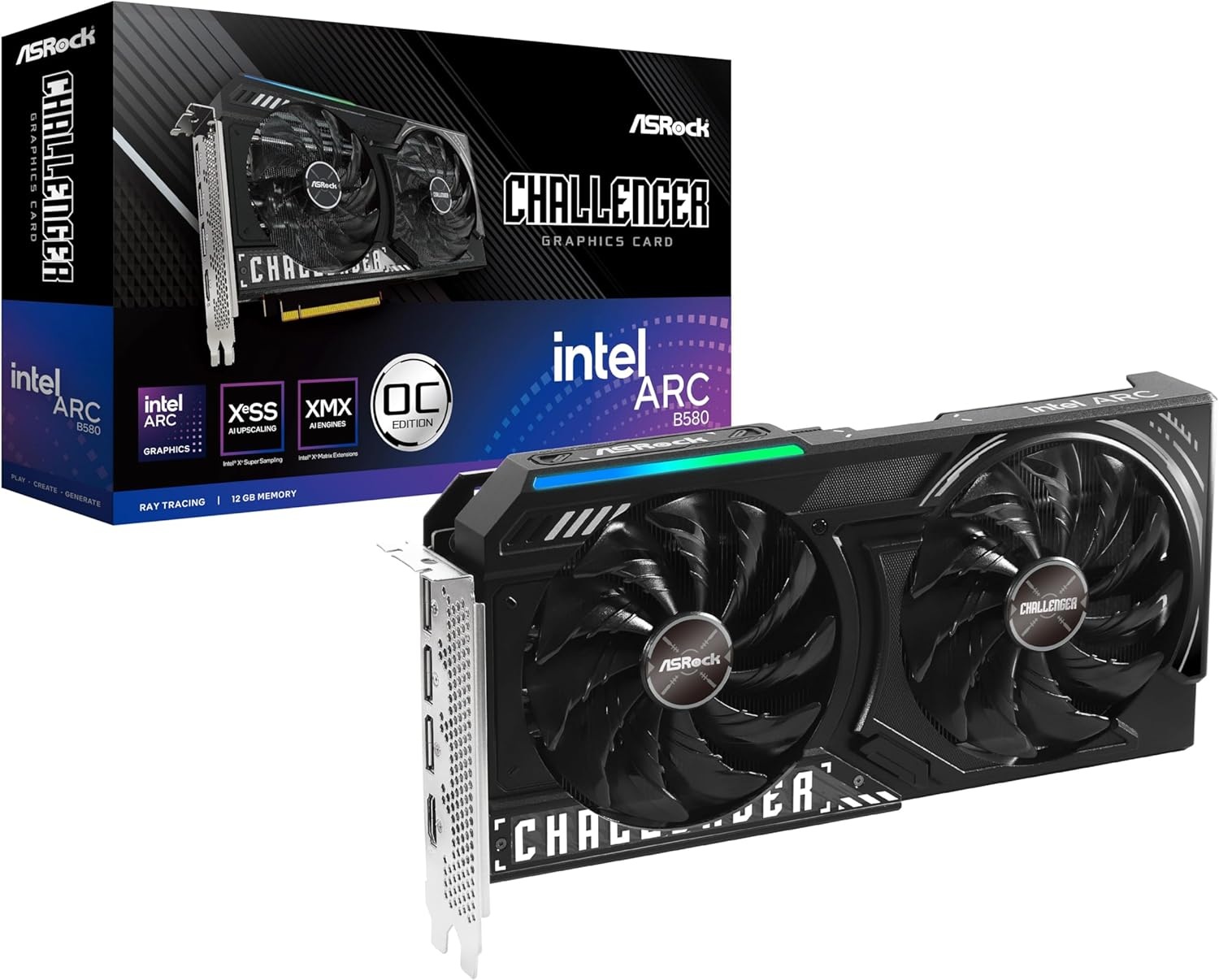
Intel was a bit of a dark-horse candidate, and I’ve heard nothing but good things about their cards. I considered a used A770 16GB for $400, but opted for a new ASRock Intel Arc B580 Challenger 12GB OC for $310. Sparkle offers a 3-fan model of the same card, but they wanted $60 for it…
Since both of my NVMe drives were transferred to the new system, I picked up a $160 Kingston 1TB NVMe drive. My old motherboard had a nice NVMe heat sink, but I had to get another $5 thermal pad as the old one was pretty nasty. I got everything put back together, and it fired up just fine! I was able to install the OS, and it works great, but…
~~~
For a display, I was using my quadruple (2×2) HP N246v 24″ LCD 60Hz monitors, which work great for my work-from-home setup, but are atrocious for gaming… I still had my old Acer Predator HB241H 24″ LCD 1080p @144Hz gaming monitor…
My old triple monitor stand (SilverStone Technology ARM31BS)l is about 4″ too wide for my work [from home] desk, but a similar triple monitor stand as I’d bought for my gaming setup would work just fine! I could remove the two monitors from my double monitor stand and do another TIE Fighter configuration for my secondary machine with the 144Hz monitor as the middle/primary display, and keep my quad monitor setup as-is, granting two of the monitors for my work [from home] laptop, and two for the miniPC I bought for my second job, and control them both seamlessly using something like Mouse Without Borders. Yes, I currently have 10 monitors in my office, thanks for asking :).
While I’m at it, I’ll replace the DVI to DisplayPort adapters on my quad monitor setup with DisplayPort to HDMI cables (the quad monitor setup supports VGA, DVI, and HDMI… I told you it was old :), I’ll get an extra 140mm to use as an intake for the bottom of the case, and some cable extenders to pretty things up.
So add to the total…
- $310 for the GPU
- $160 for the 1TB NVMe SSD
- $90 for the 850W modular PSU (renewed)
- $140 for miscellaneous odds and ends (power cable extensions, second triple monitor stand, 140mm case fan, thermal pad for the NVMe heat sink)
Total: $560 ($700 if you count the optional bits, but some of that’s going to maintenance and long-over cable management 🙂
Worth it? Yes, I’d say so. Until next time!